 The Trip Binder
Everything a trip needs, from the roster import to the last head count.
One system for the whole trip — the organizer, the chaperones on the bus, and the families at home.
The Trip Binder is a school and group trip management app for teachers, band directors and tour organizers. Plan a field trip, take attendance, run bus count-offs and keep families in the loop — on the web, iPhone and Android.
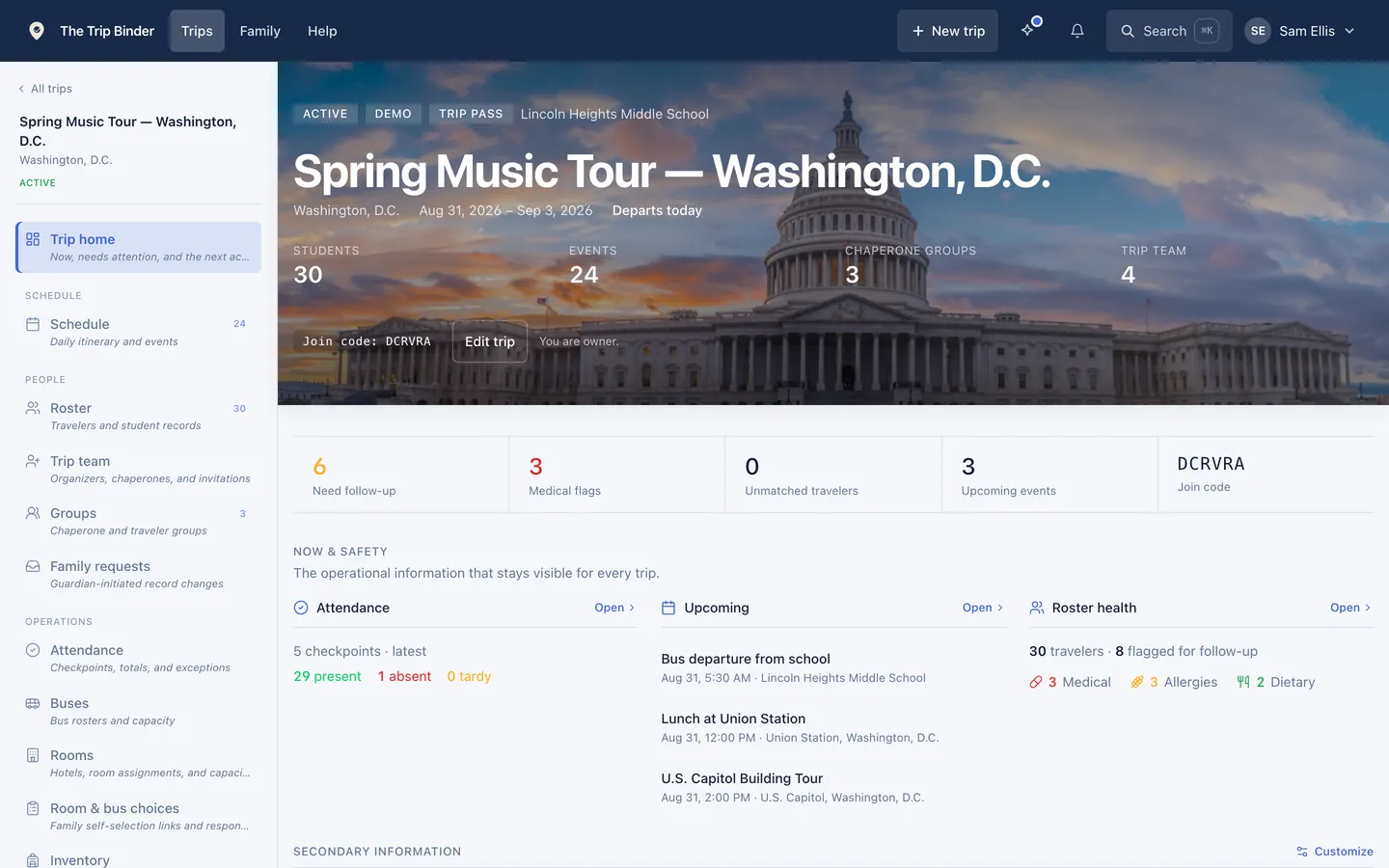
01Before you go
Build the roster once, and stop chasing paper
Import from the spreadsheet you already have. Families fill in the rest themselves, so allergies, medications and emergency contacts arrive without a single form going home in a backpack.
- Roster import
- Bring in a spreadsheet and match travelers to existing records. Grades, student IDs and instruments come along for the ride.
- Health and emergency detail
- Allergies, dietary restrictions, medical notes and the over-the-counter medicines a family allows, on every traveler and flagged where a chaperone needs to see them.
- Photos and assignments
- A photo, grade, student ID, chaperone group and bus with a count-off number on every traveler — so a chaperone can match a face to a name.
- Documents
- Permission slips, packing lists and staff-only emergency sheets, shared to exactly the people who should see them.
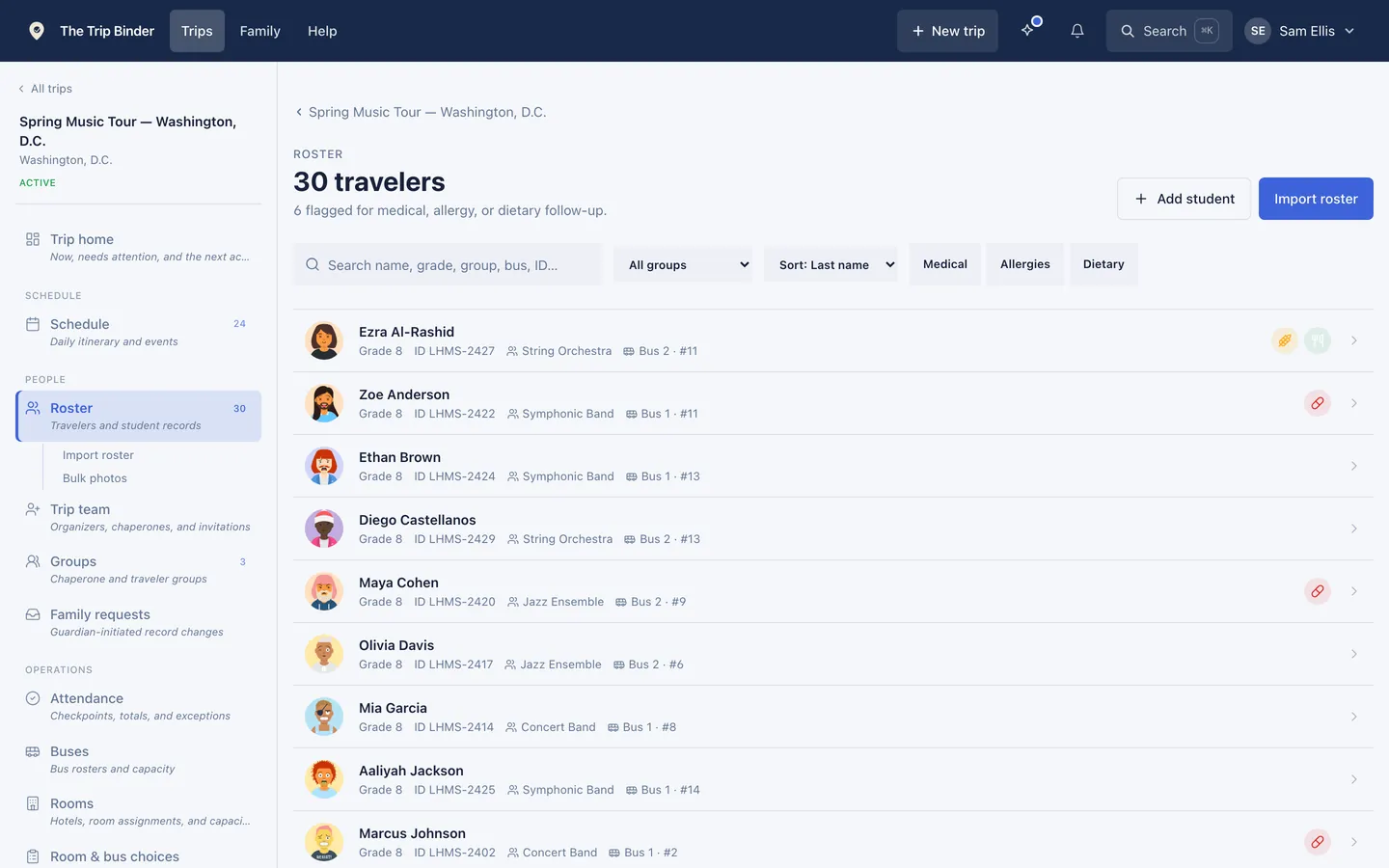
The roster flags who needs following up, and filters to just those travelers.
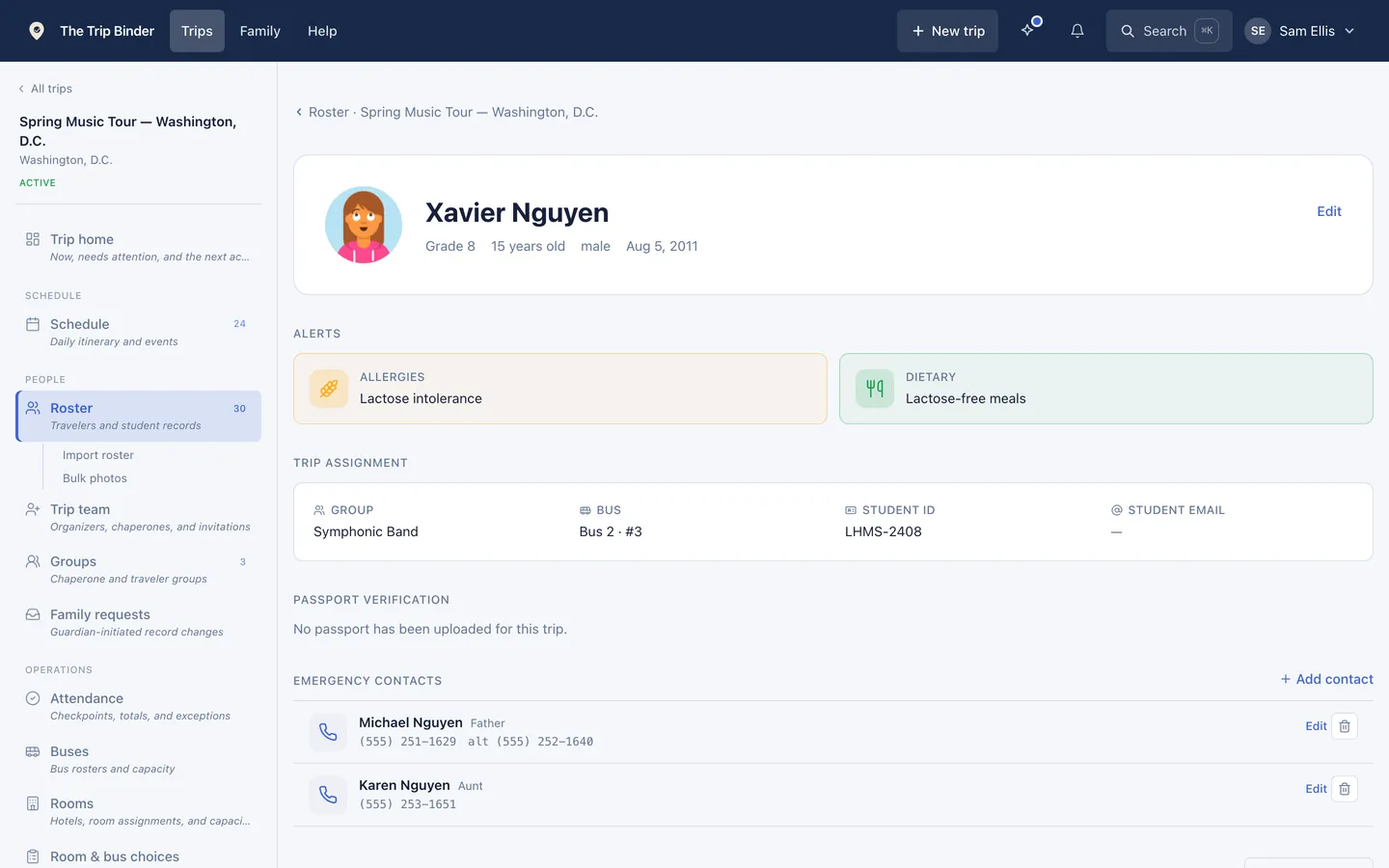
One traveler: alerts, group and bus assignment, student ID and emergency contacts.
02Families do the rest
Set the rules, then let families sort themselves out
Turn on room and bus signup, set the rules and the deadline, and send every family a private link. Guardians pick roommates and seats; you review what comes back instead of collecting it.
- You set the parameters
- Room signup, bus signup, same-gender rooms, whether both sides must confirm a roommate — and the window it all runs in.
- A clear deadline
- Signup opens and closes on dates you choose. Families see the deadline; you see who has not answered.
- A private link per family
- One link per traveler, issued in a click and emailed out. No account required at the other end.
- You review and assign
- Roommate groups arrive with each member confirmed or still pending, alongside change requests, and you assign in one action.
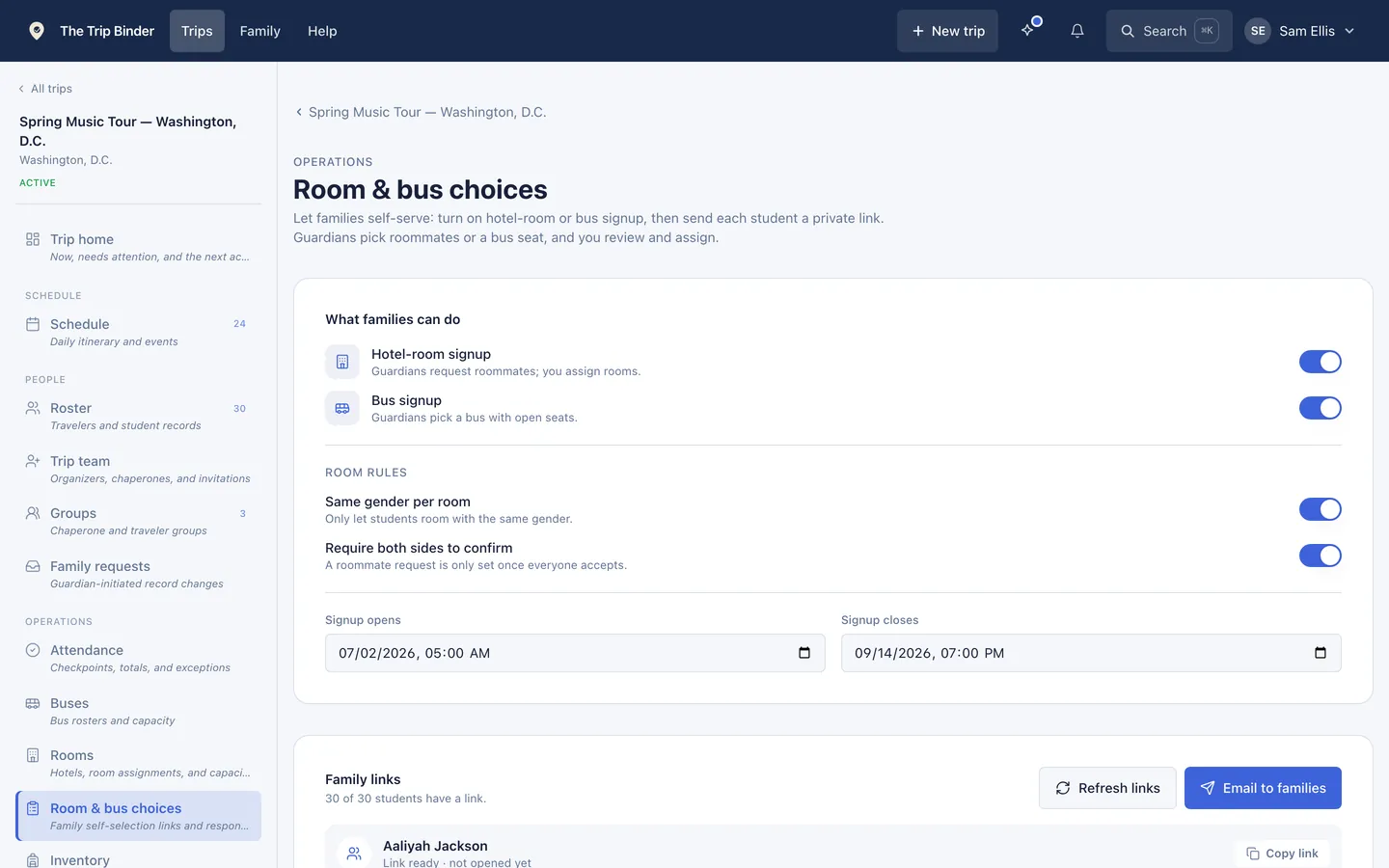
The parameters and the deadline, with a private link issued to all twenty families.
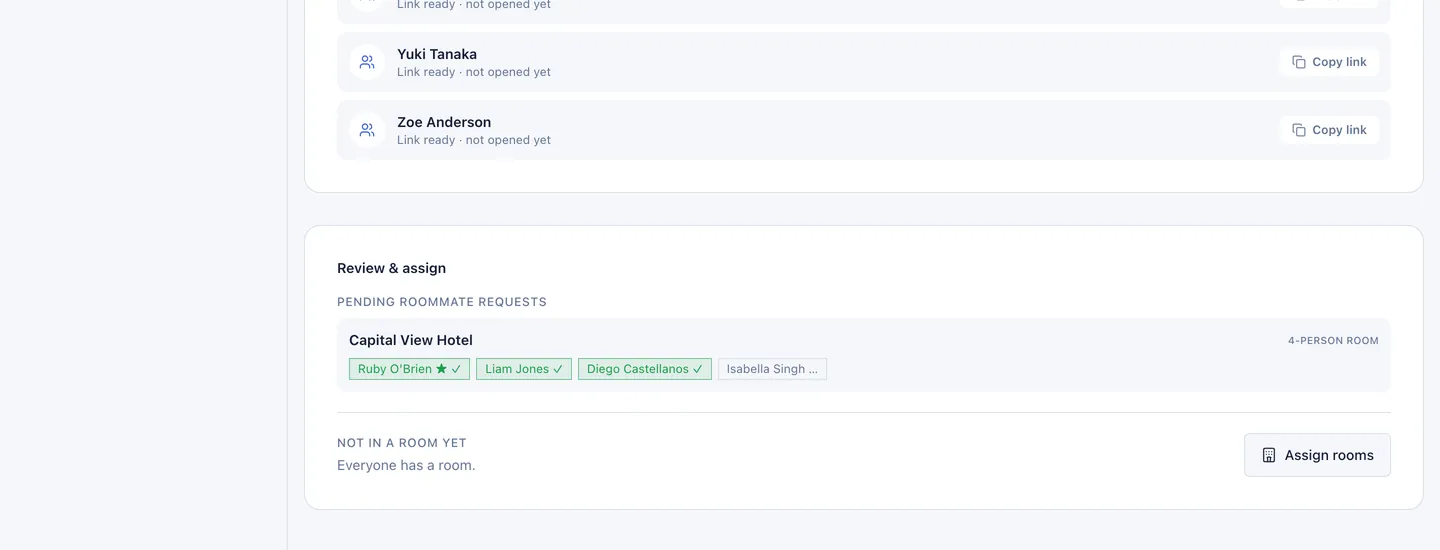
What comes back: three confirmed, one still to accept — then assign rooms in one action.
03The week before
Rooming, buses and groups, settled before you leave
The logistics that eat a week of evenings. Assign once and it flows everywhere — the people list, the head count screen, the printed tags.
- Hotel rooming
- Rooms with capacity and a chaperone on each, so a rooming list is something you post rather than rebuild.
- Bus assignment
- Assign travelers to motor coaches with capacity tracked. Assignments feed straight through to the head count and the printed tags.
- Chaperone groups
- Small groups with a named adult, for city walks and anywhere the party splits up.
- Luggage tags
- Printable tags with QR codes, eight to a sheet, in your choice of layout and page size.
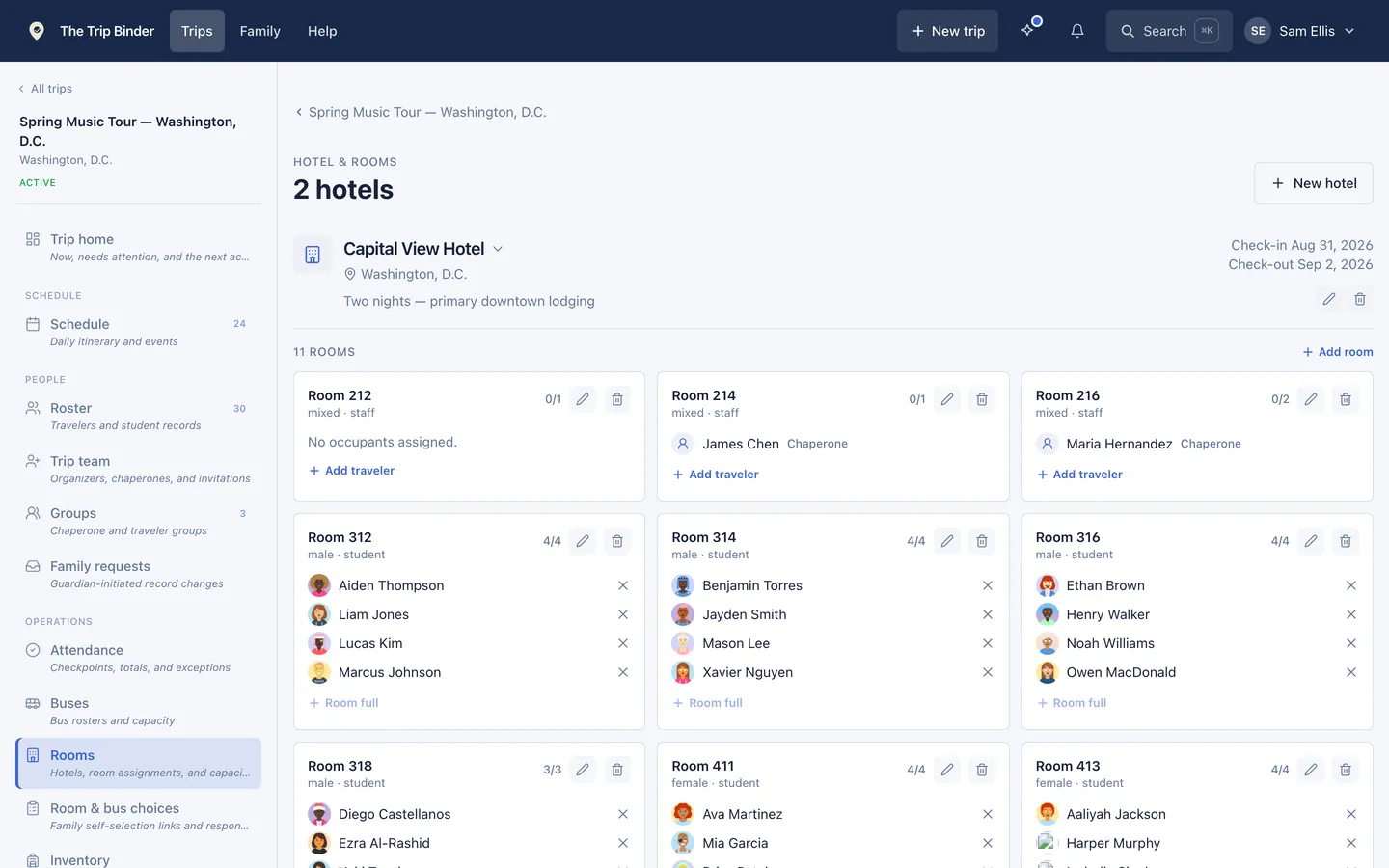
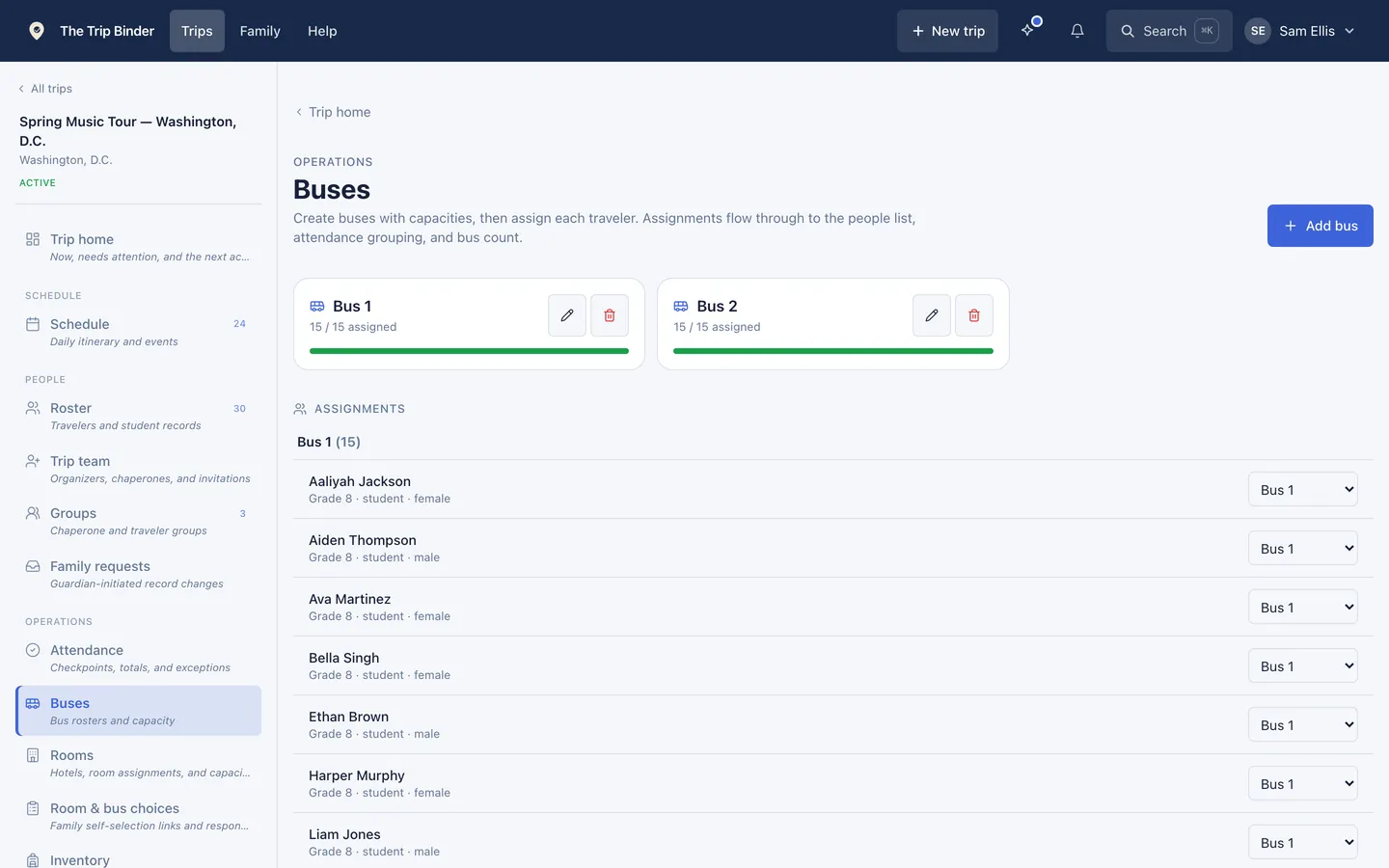
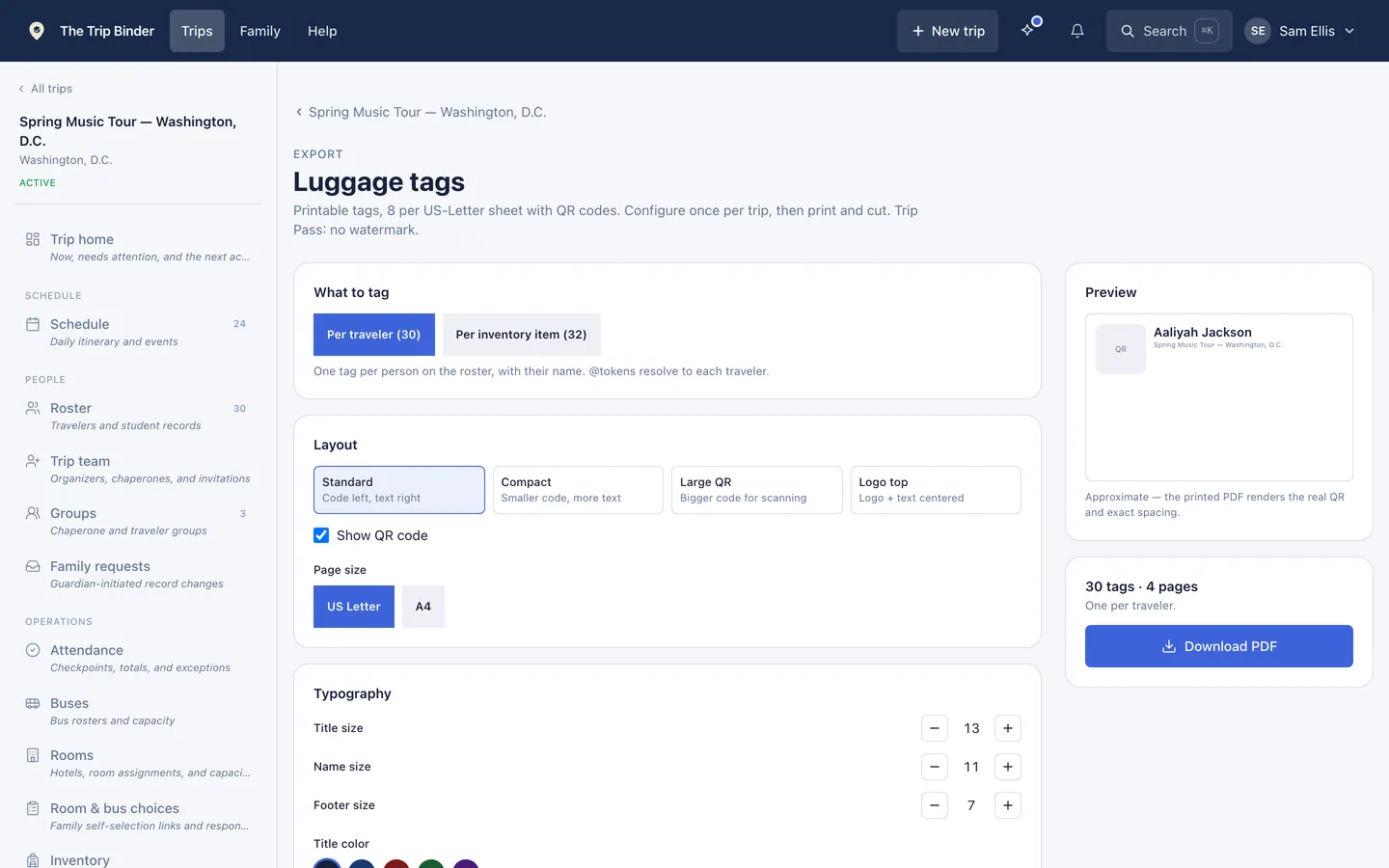
Tags configure once per trip, then print and cut.
04On the road
Know where everyone is, without a clipboard
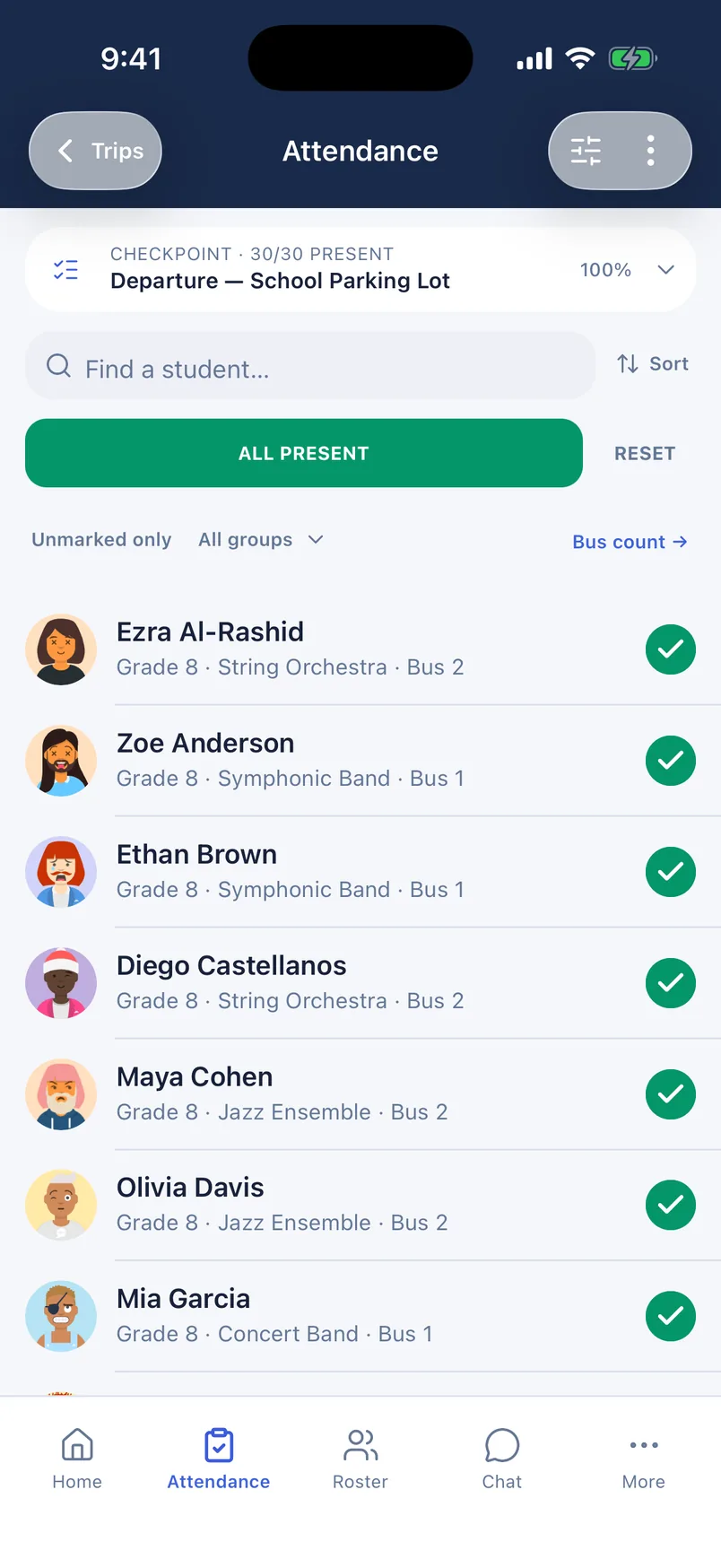
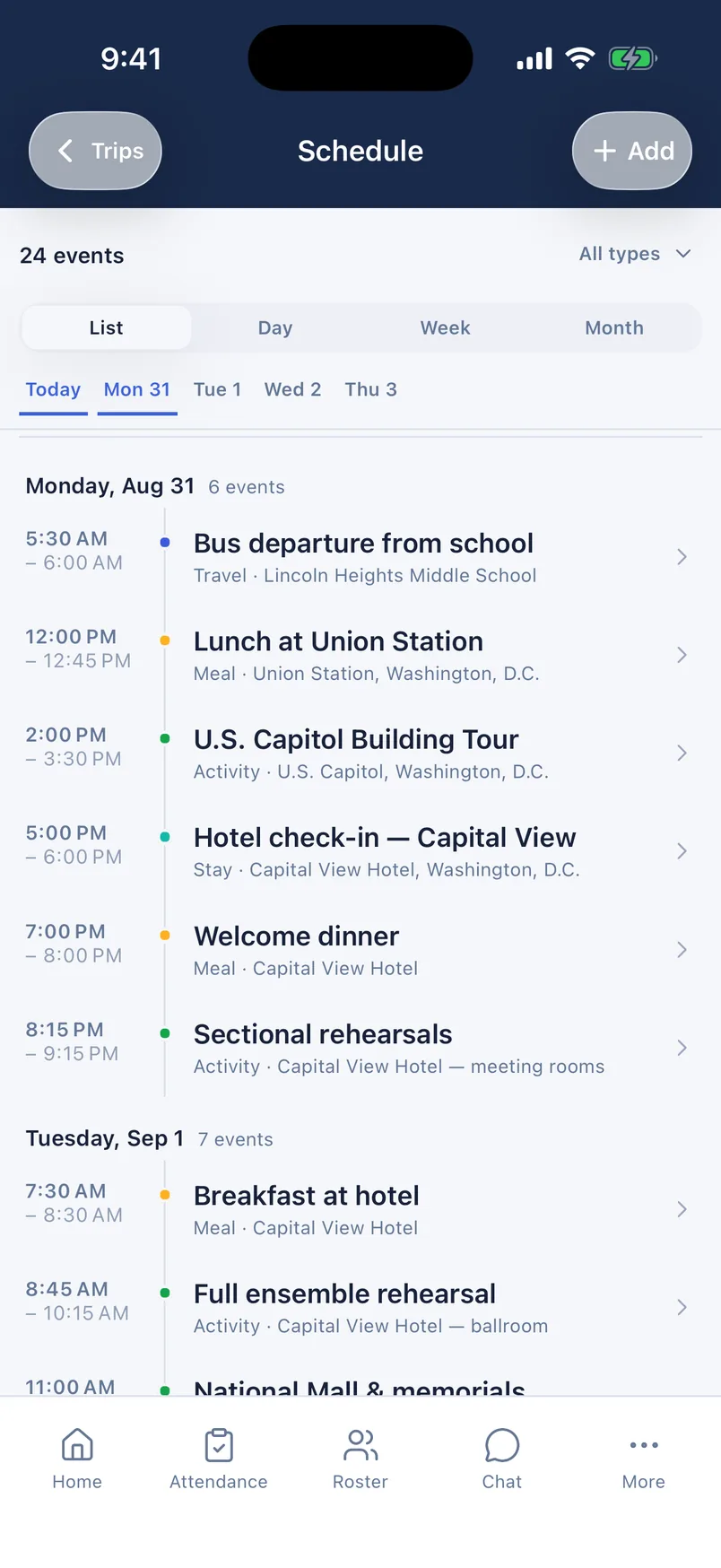
The part that actually happens at 6am in a hotel lobby. Checkpoint head counts, the day’s schedule on every phone, and one place for messages that everyone actually reads.
- Checkpoint attendance
- Count off at each stop. Present, tardy, absent and unmarked totals, with the exception surfaced instead of buried.
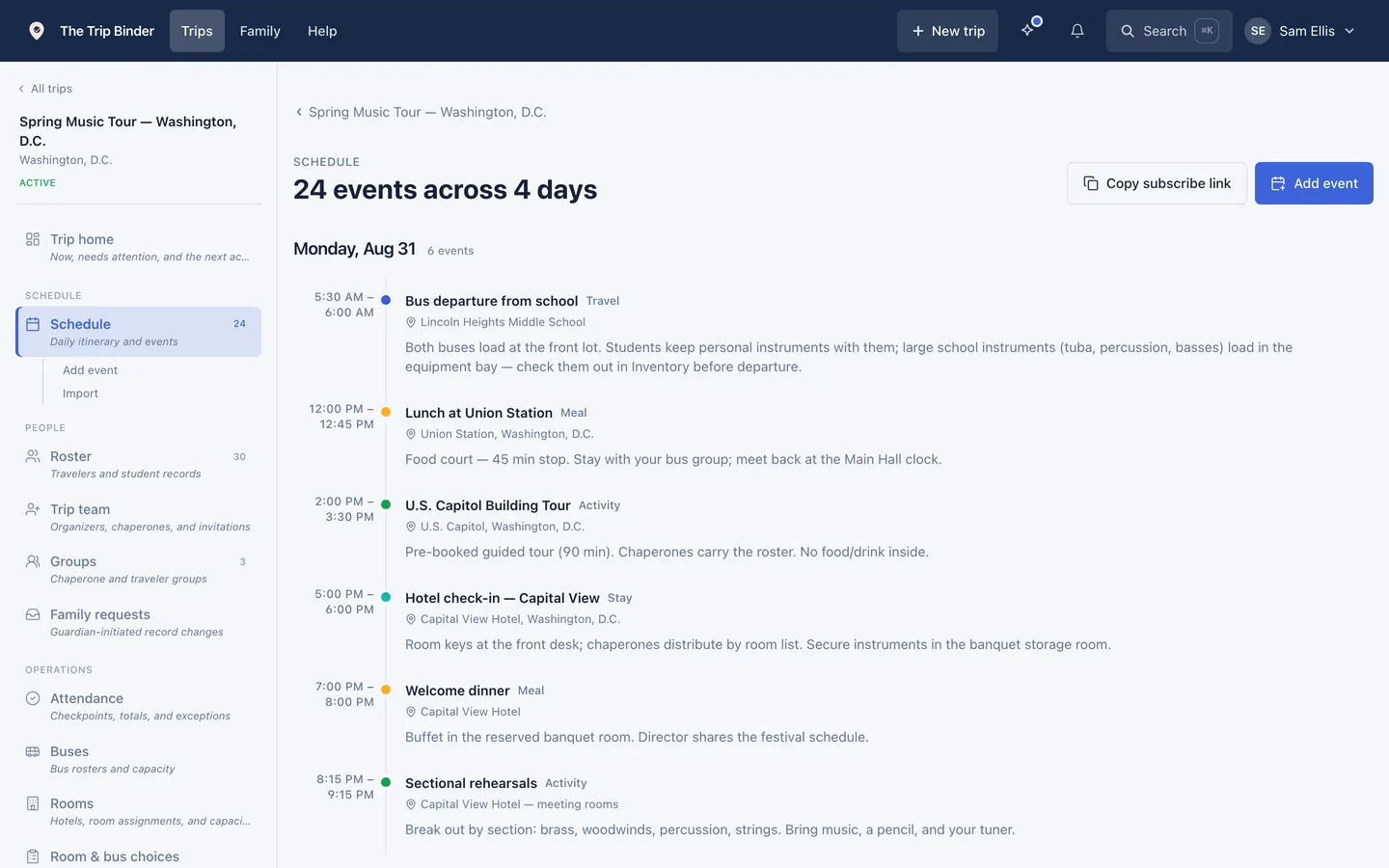
- Day-by-day schedule
- Typed events with times, locations and notes. Publish once and people on the trip can subscribe from their own calendar app.
- Chat and announcements
- Trip-wide, staff-only and group channels, plus pinned announcements for the things nobody can miss.
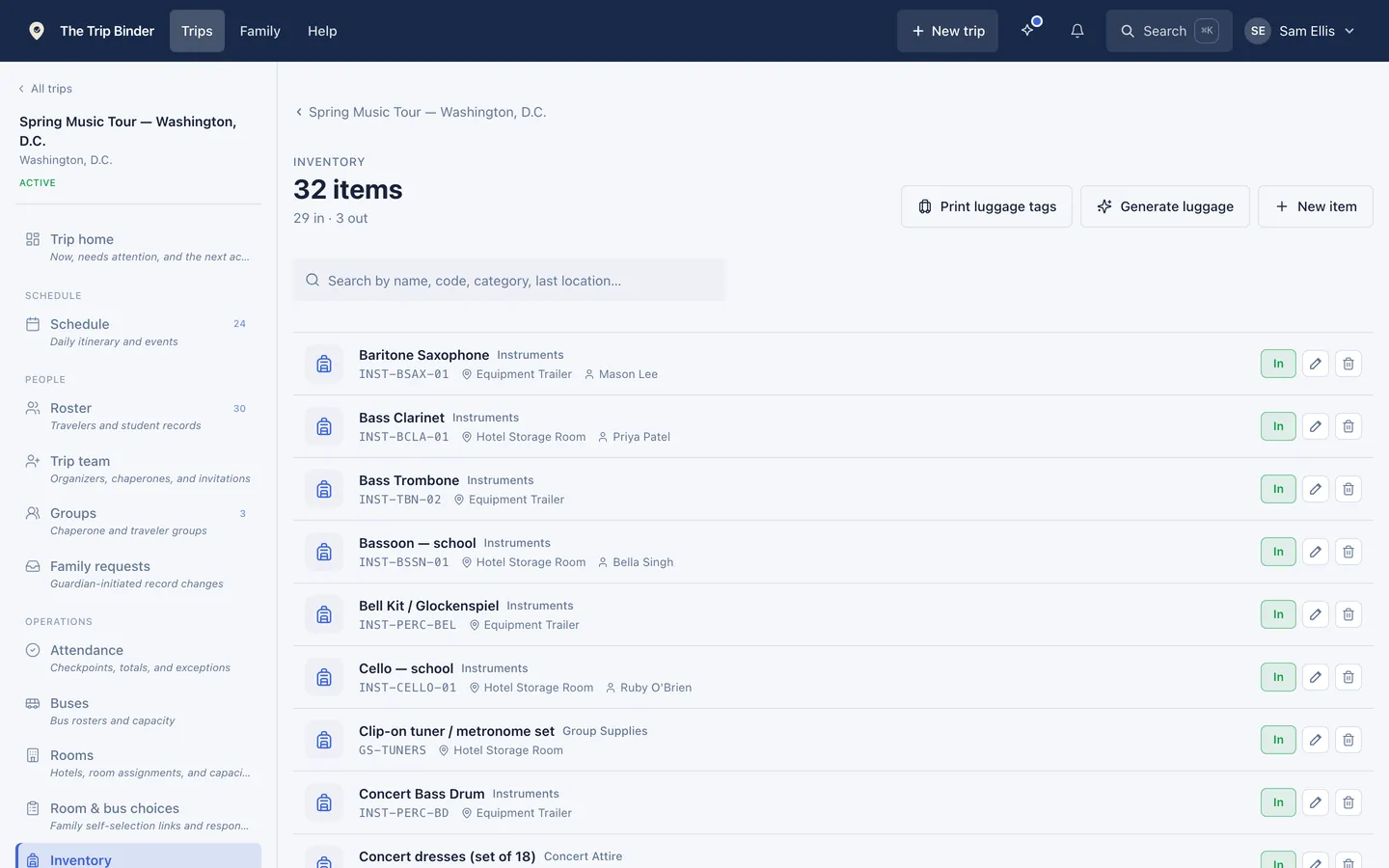
- Equipment tracking
- Instrument cases, uniforms and kit scanned in and out, so you know what is on the bus and who has the rest.
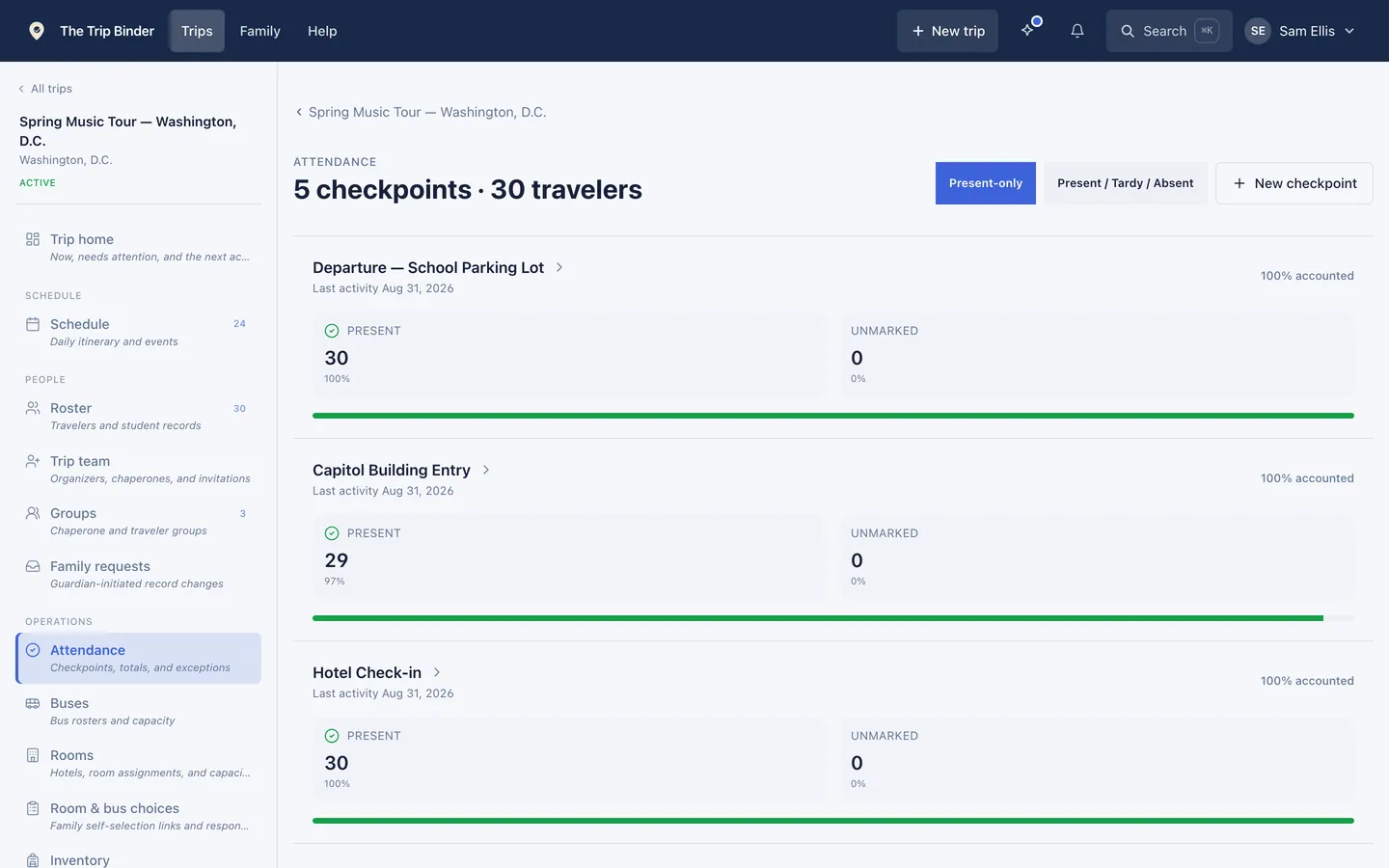
Three checkpoints, and the one traveler who was not at the gala call.
On the phone
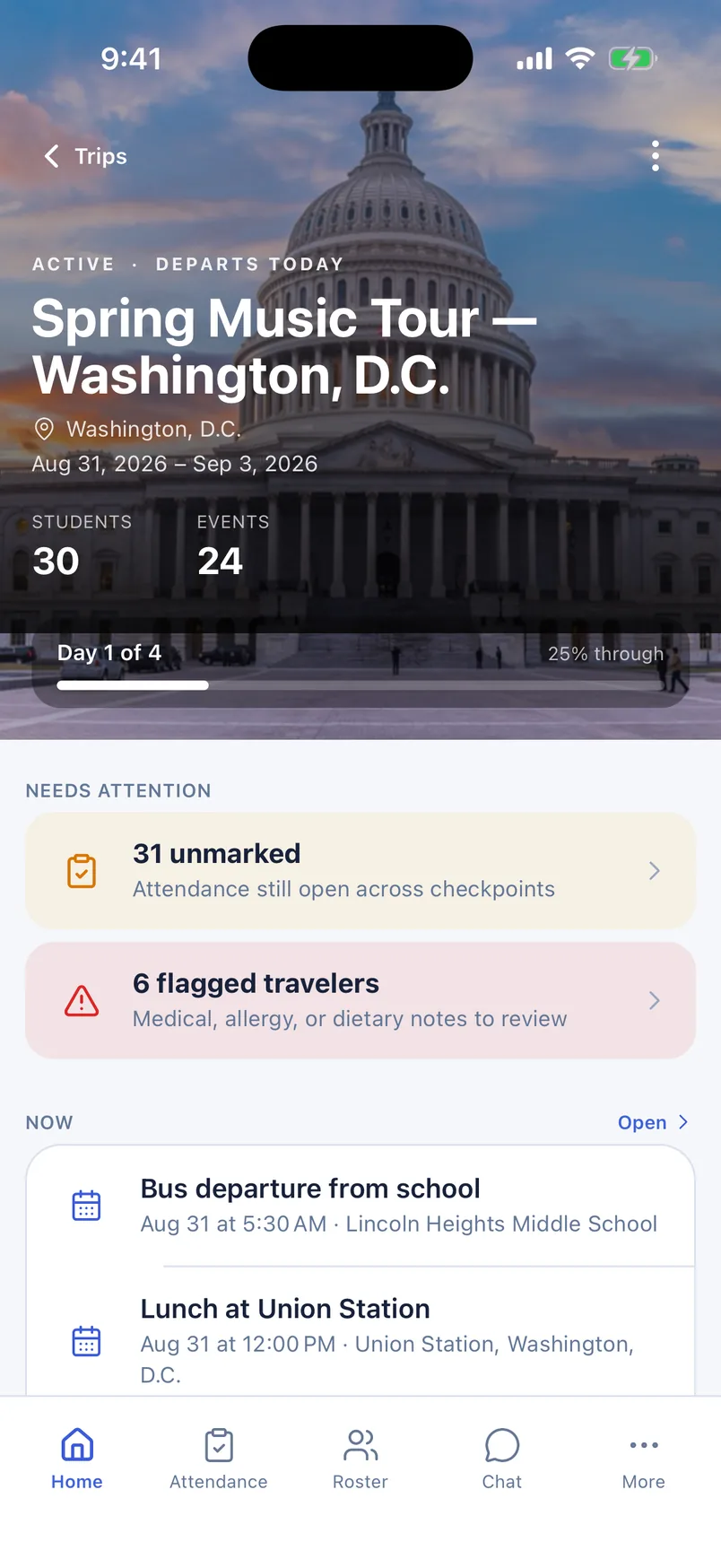
Chaperones and families get the app, not a login link
The same trip, built for the pocket it actually lives in. Chaperones take head counts and read the schedule; families follow the itinerary and see what they owe.
The rest of it
24 more things you would otherwise keep in a spreadsheet
The tour above covers the screens that carry a trip. Everything else the product does is named here, so you can find the one thing you came looking for.
Roster and records
Roster import
Spreadsheet in, matched travelers out, with duplicate detection.
Health & dietary flags
Allergies, medications and dietary needs, surfaced where they matter.
Emergency contacts
The people to call for each traveler, one tap away.
Flight manifest
Airline, record locator, e-ticket, flight numbers and seats.
Guardian access
Families keep their own child's record current.
Bulk photos
Add traveler photos in one pass rather than one at a time.
What families do themselves
Room signup
Guardians request roommates; you approve and assign.
Bus signup
Families pick a bus with open seats, within your rules.
Signup deadlines
An open and close date, and a view of who has not replied.
Change requests
Families ask to change a room or bus after signup locks, and you decide.
Rooms, buses and groups
Hotel rooming
Rooms, capacities and a chaperone on every room.
Bus assignment
Travelers assigned to motor coaches, with seats tracked.
Chaperone groups
Named small groups for walks and split activities.
Luggage tags
Printable QR tags, eight to a sheet, in your layout.
On the trip
Checkpoint attendance
Present, tardy, absent and unmarked at every stop.
Bus count-off
Swipe through a bus on a phone to count off in seconds.
Day-by-day schedule
Typed events with times, locations and notes.
Calendar subscribe
Publish once; people on the trip subscribe from their calendar app.
Chat channels
Trip-wide, staff-only and group conversations.
Announcements
Pinned and urgent notices every traveler sees.
Kit and paperwork
Equipment tracking
Instrument cases and kit scanned in and out.
Documents
Permission slips and packing lists, shared by audience.
Roster exports
Download the roster for the operator, airline or school office.
Works offline
Roster, schedule and health detail readable with no signal.
Security & privacy
Your trip. Your information. Protected.
From emergency contacts to medical information, sensitive details stay private and available to the people who need them. Encrypted connections, controlled access, and a simple commitment: we never sell your data.
Access tailored to each role
Parents keep their own child’s information up to date. Chaperones see the travelers on their trip, and an organizer can restrict a chaperone to one group.
Encrypted connections
Information is protected with HTTPS encryption between your device and our service.
Private files
Permission slips and photos use private storage and links that expire.
We never sell your data
No selling, no renting, no advertising. Written into our privacy policy.